Session Lifetime
This page describes how the lifetime of a Cadenza session is managed technically.
There are different scenarios how a session is invalidated:
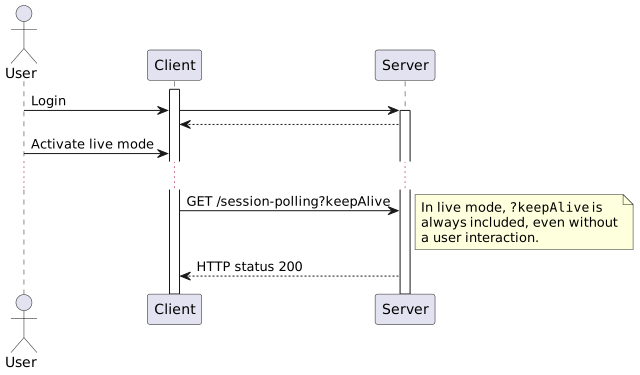
While the user is active and in live mode, a session timeout is actively prevented.
User Logout
This is the obvious scenario: The session is invalidated when the user logs out explicitly.
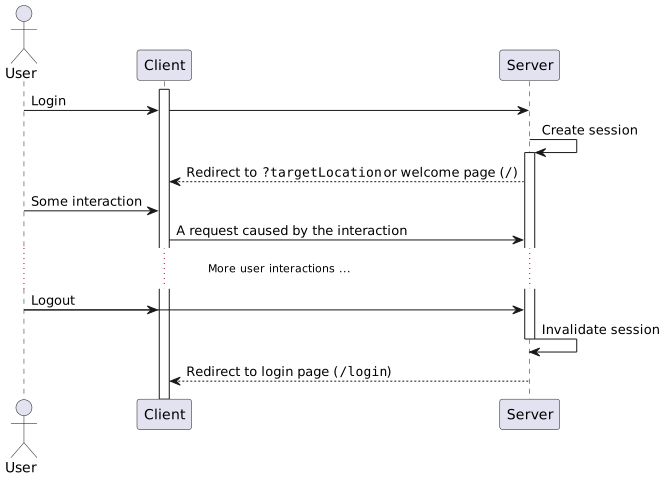
When a ?targetLocation parameter is given in the login with a URL relative to the Cadenza context path (for example ?targetLocation=/admin for the Management Center), the client is redirected there and not to the welcome page. That’s useful e.g. for bookmarking.
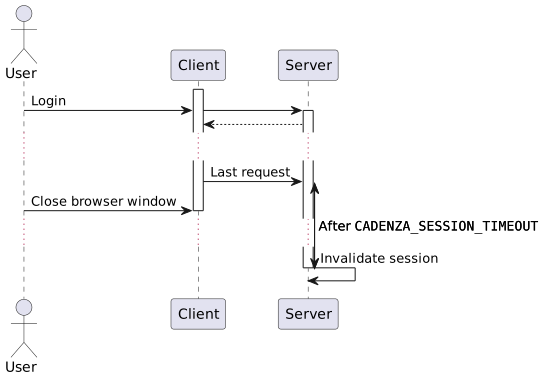
Session Timeout After User Closed Browser
When there were no requests from the client for a certain time (the CADENZA_SESSION_TIMEOUT), e.g. because the user closed the browser window, the Tomcat server automatically invalidates the session.
Session Timeout After User Became Inactive
Additionally, the Cadenza client polls the server to …
-
Invalidate the session in case there were no other requests since
CADENZA_MAXKEEPALIVEINTERVAL. -
Redirect to the login page in case the session was invalidated.
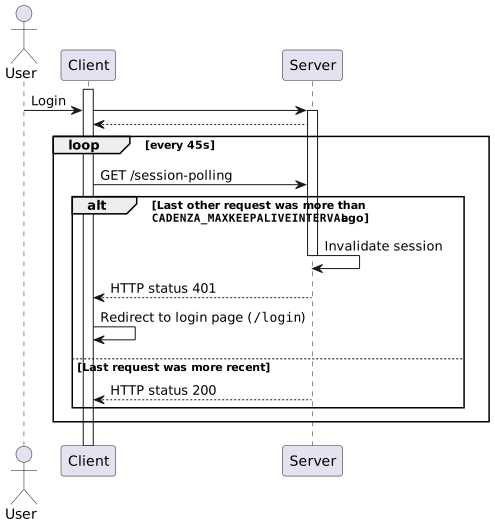
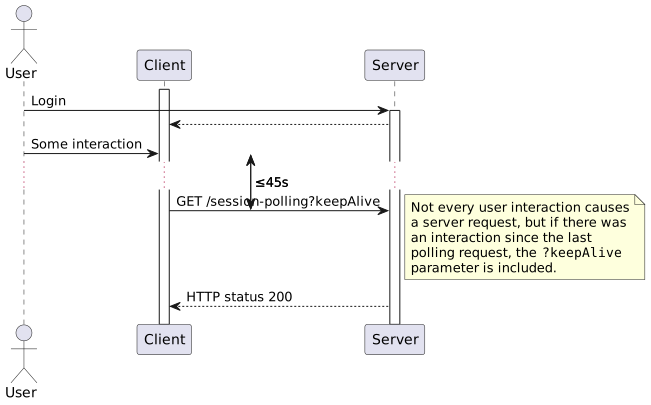
The 45s polling interval is hard-coded (can not be configured) since 1m is the minimum session timout. So this value makes sure we poll the server before the session times out.
In an embedding scenario (when Cadenza is embedded using the Embedding API), the client redirects to a special "standby" page (/embedding-standby) instead of the login page.
Prevent Session Timeout While User Active
If there was a user interaction since the last polling request, a ?keepAlive parameter is included in the polling request, so that it also keeps the session alive (like any other request). That means we effectively keep the session alive as long as the user is interacting with Cadenza.
Prevent Session Timeout in Live Mode
In live mode (see Cadenza help), the ?keepAlive parameter is always included in the polling requests, effectively keeping the session alive forever.